how it works
press a button on your phone, a sound plays on your friend's. here's the whole thing, end to end.
tap a bing
open your bong, tap any bing.
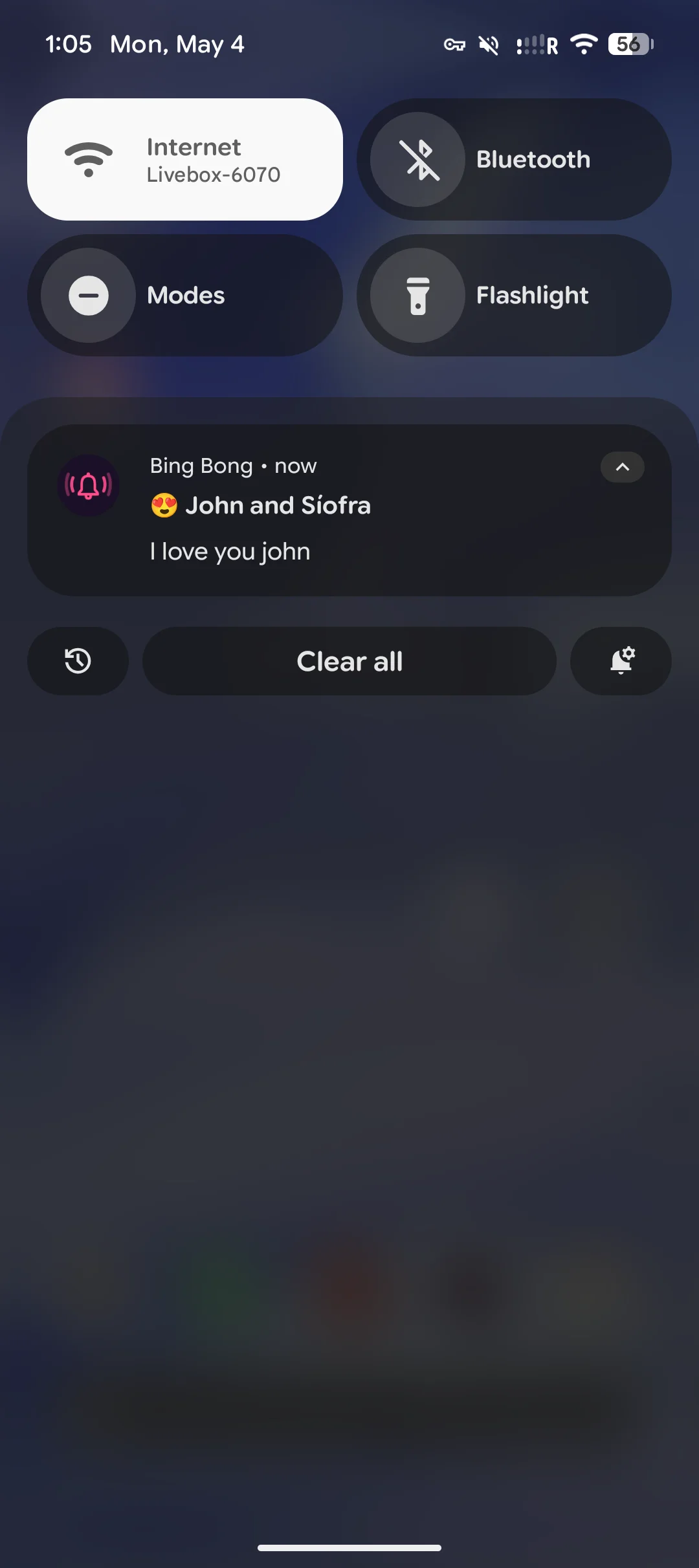
the sound fires off as a push notification to everyone else in the bong, instantly.
they hear it instantly
their phone plays the actual sound right from the lock screen. the notification shows the bong's name and the bing's label, so they know who sent what.
send something sweet, or chaotic, it is all up to you.
getting set up
create and sync your bings with everyone in the bong
you have to make sure everyone has the same bings to start receiving notifications. We don't store any sounds, everything is done through the .bingbong files.
create a bong
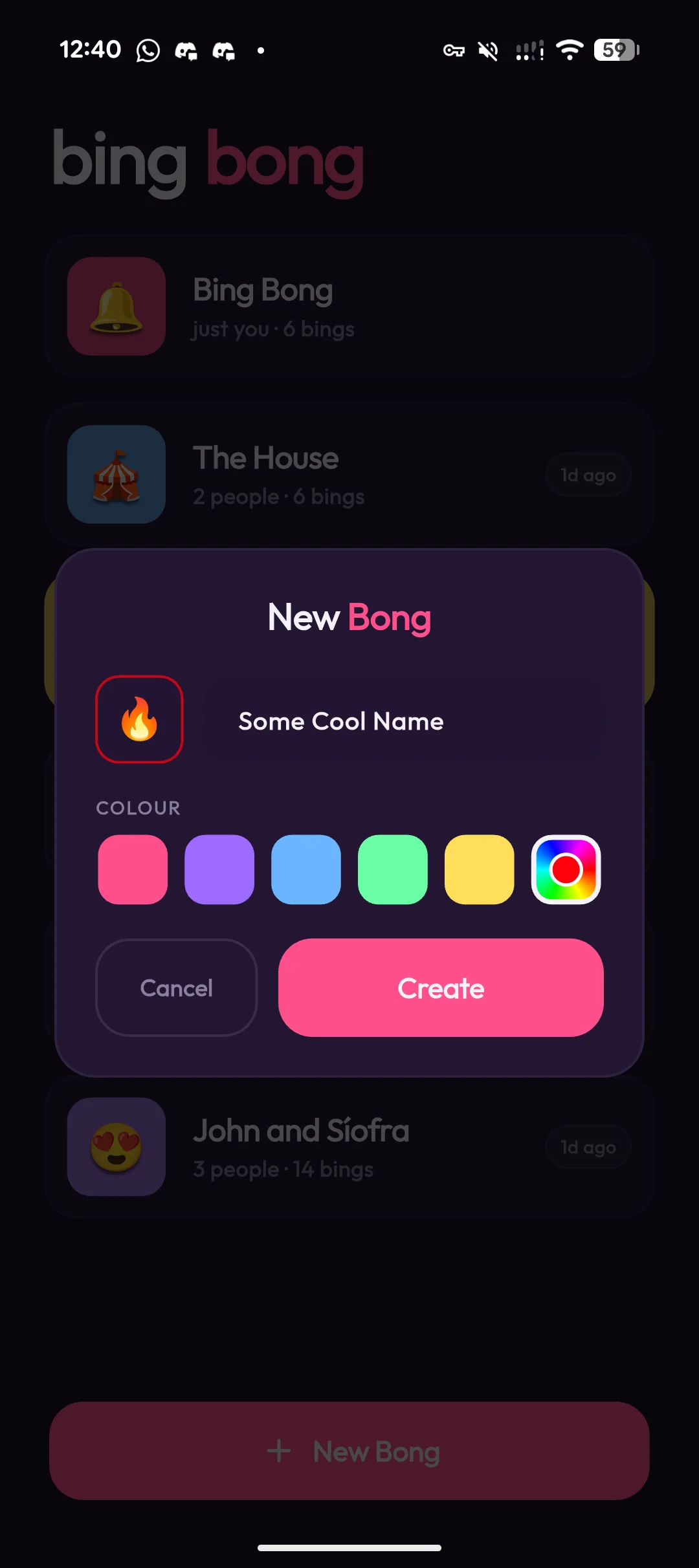
a "bong" is your little group — you and the people you want to bing. give it a name, an emoji, and a colour so you can spot it in your list.
add your bings
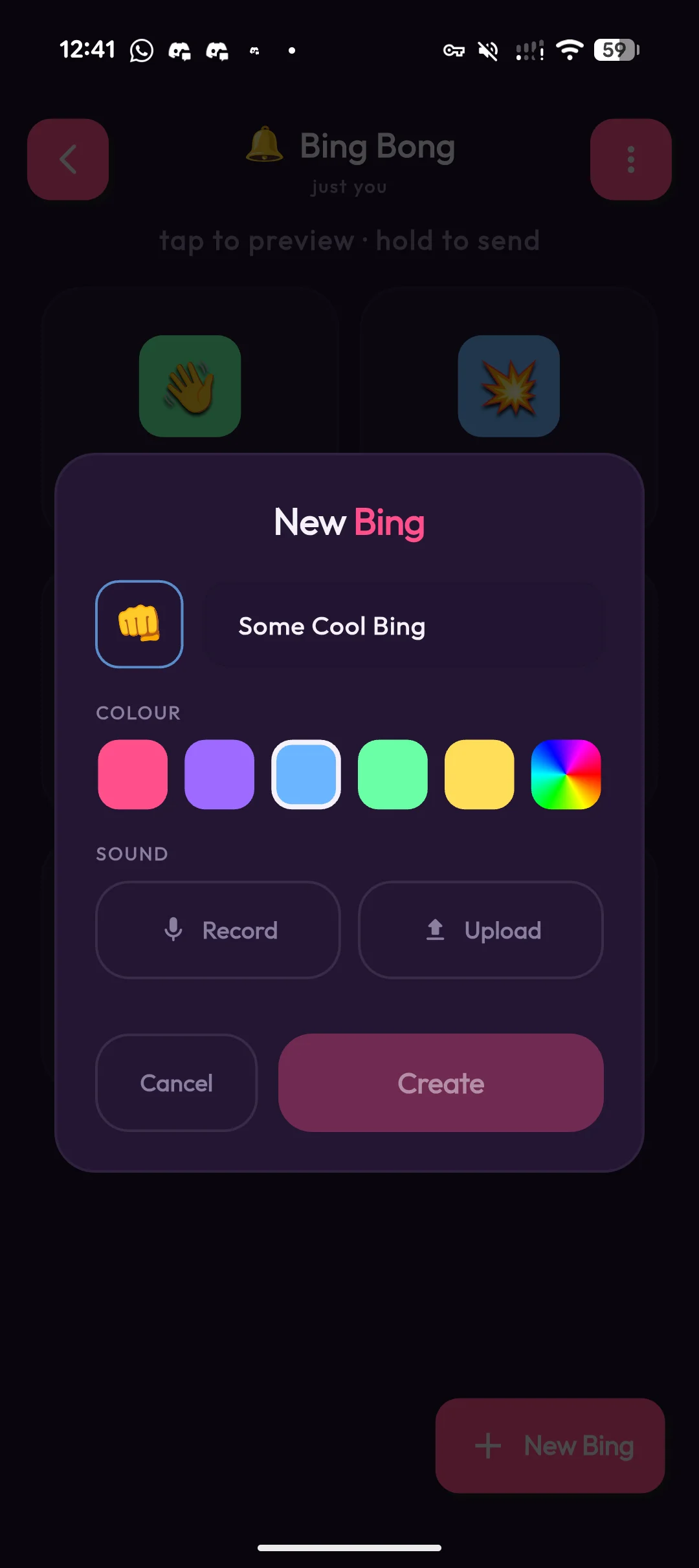
a "bing" is one button that plays one sound. record yourself saying something, or upload a clip. pick an icon and a colour for it. that's your bing.
you can create your own from the app, from this website, or download our sample bings.
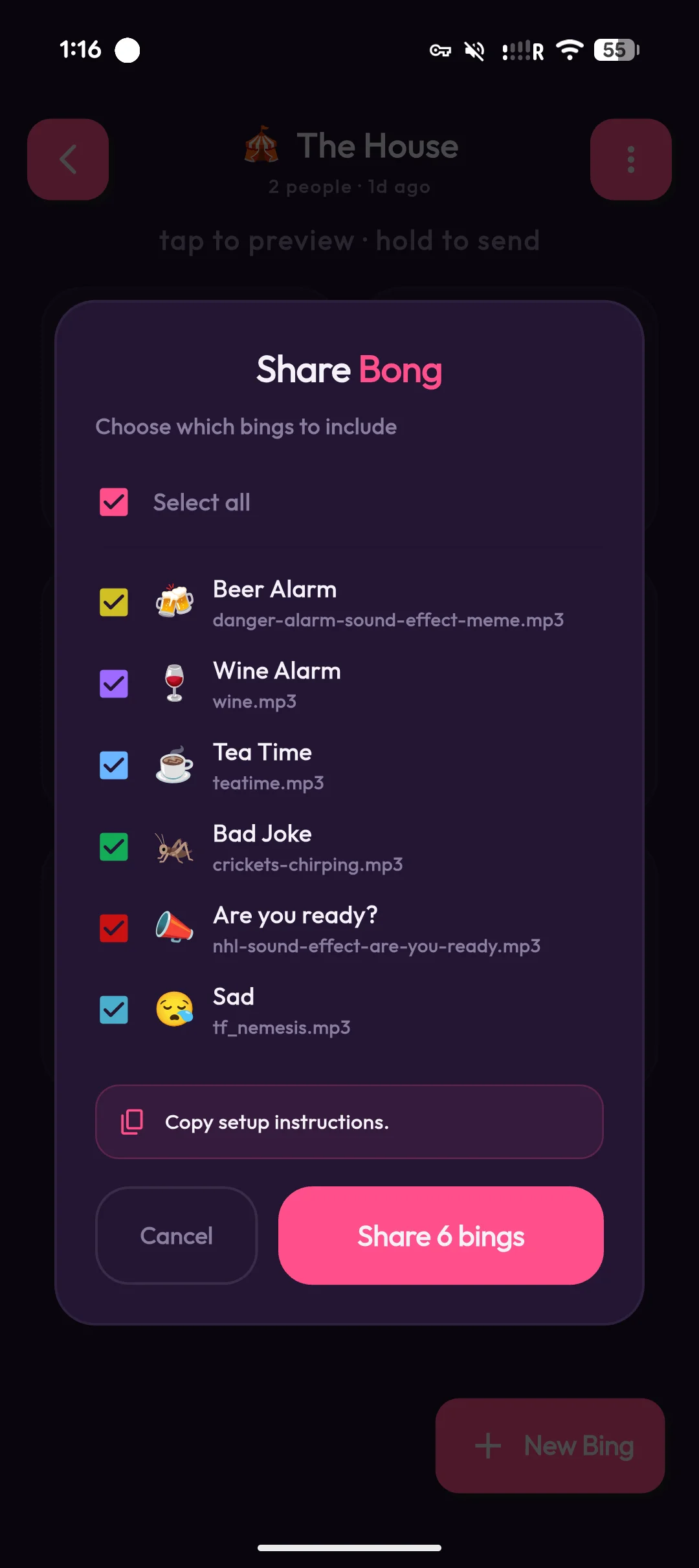
choose what to share
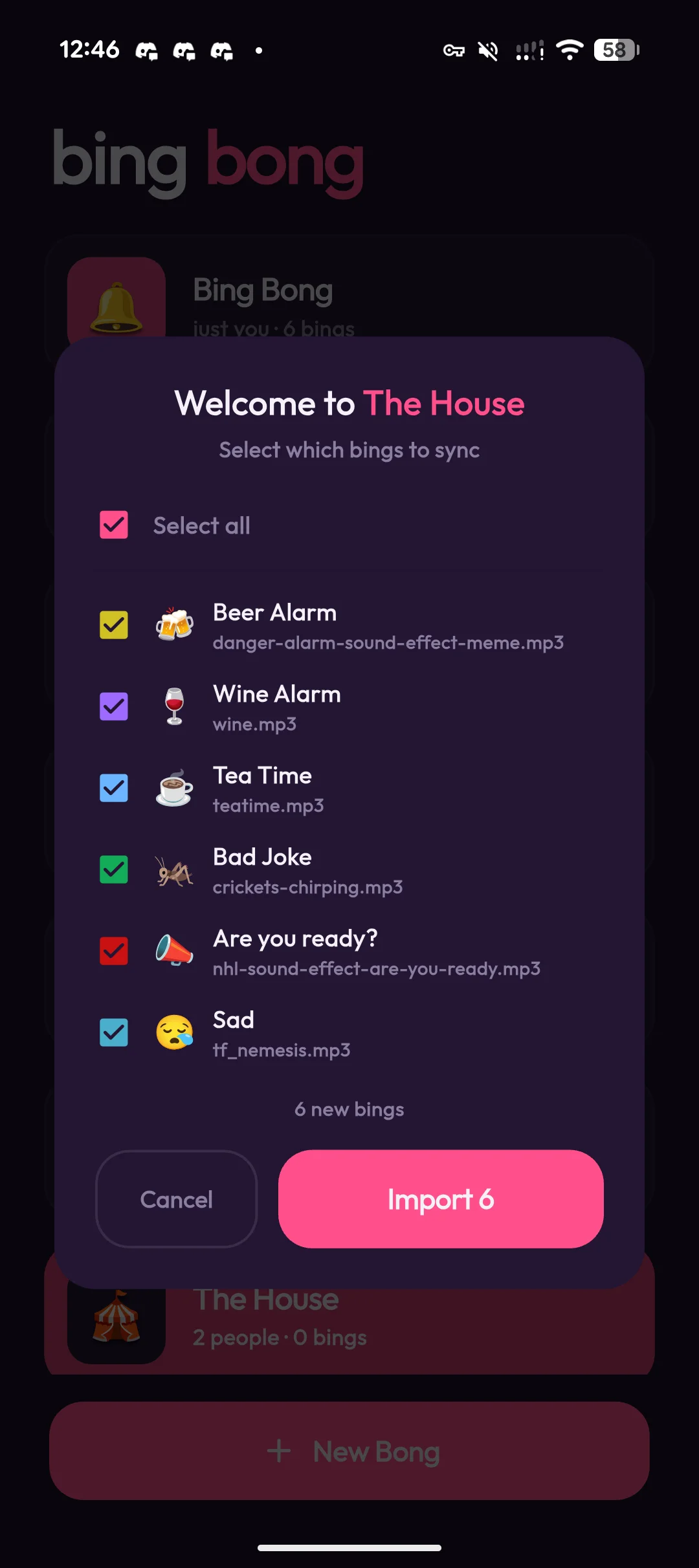
when you're ready to invite people, tap share and pick the bings
you want to include. bing bong bundles them into a single
.bingbong file.
share the whole bong, or just a handful of bings. it's up to you what your friends start with.
send it to a friend
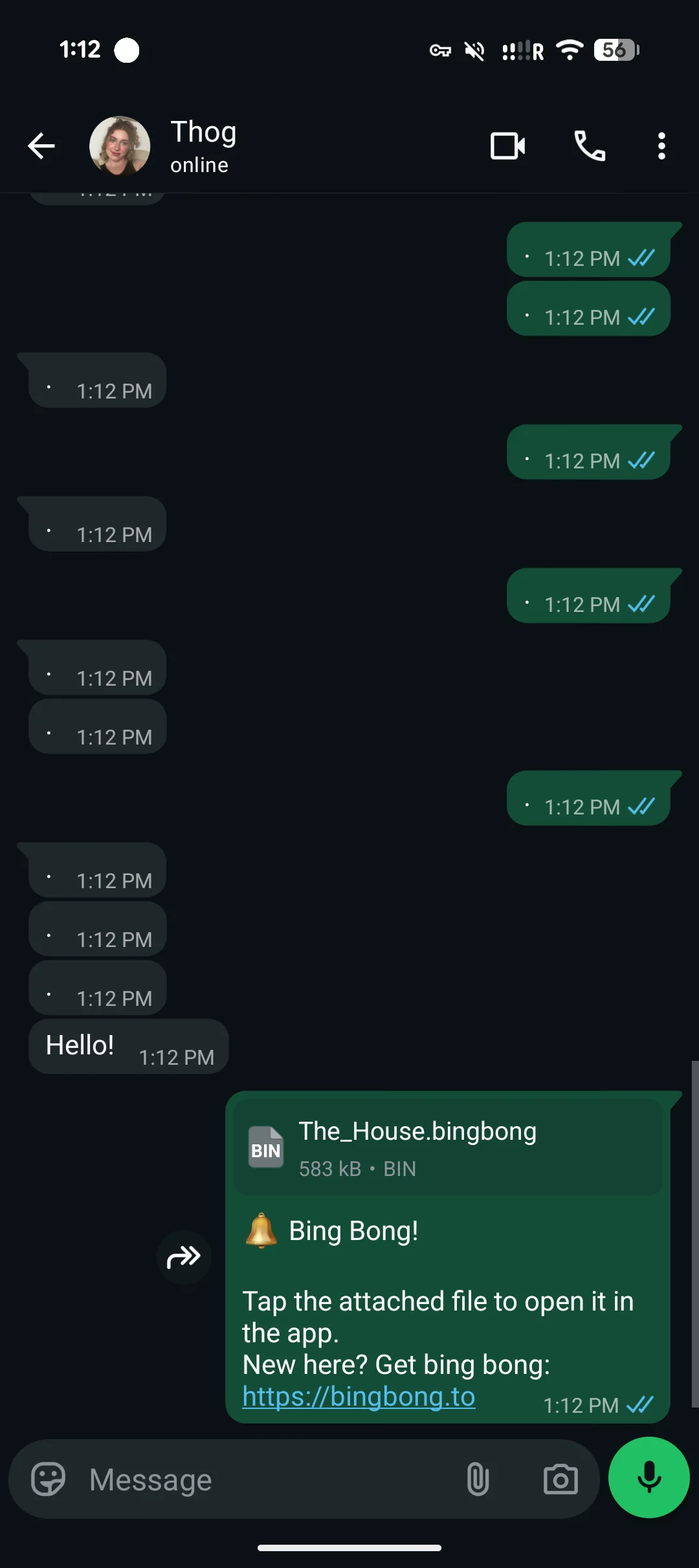
drop the .bingbong file into whatsapp, messenger,
imessage — wherever you already talk to them. bing bong handles
the share sheet for you.
the file's small. you can send it anywhere a normal attachment goes.
they tap to join
your friend taps the file on their phone. the app opens, imports the bong, the bings, and the sounds — all in one go. no codes to type, no accounts to make.
now they're in. time to start binging that bong.